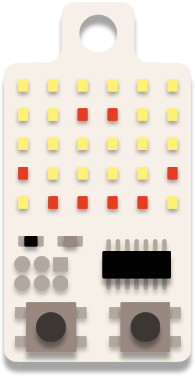
DIY · KeyChainino
[DIY] Make your own KeyChainino
Many people, inspired by KeyChainino’s Charlieplexing, have developed their own device using KeyChainino’s sketches from my GitHub.
Someone has designed their own matrix schematic, someone else asked me for KeyChainino’s schematic to help with their KeyChainino replica.
KeyChainino was born to help people understand how charlieplexing works and to fit in a pocket – just in a keychain. So, if you want to build your own KeyChainino, continue reading this post!
A few posts ago, I explained how to use Charlieplexing with Arduino to drive many LEDs, with only a few pins.
Today I want to explain how to build your Charlieplexing matrix in an easy way.
First you need to know the number of columns and rows you want to use in the matrix.
If you want to build the same matrix as KeyChainino, you have 6 COLs and 5 ROWs.
How do we design the LED and pin connections?
Simple, first create a table and put the pins you want to use both in the X and Y axis. In the X axis we have the anode pins, in the Y axis we have the cathode pins.
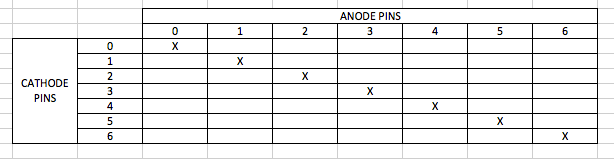
Surely you understand that we can’t connect an LED between a pin and itself. So we need to delete the impossible connections, and, to connect 6 COLs of LEDs, we must use 7 pins – from 0 to 6.
Now, we can add the LEDs in the table in this way:
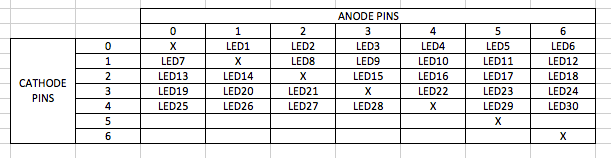
We stop when we reach our desired number of LEDs. So we don’t use pins 5 and 6 in the ROWs, but we use them in the COLs. We can update our table in this way:
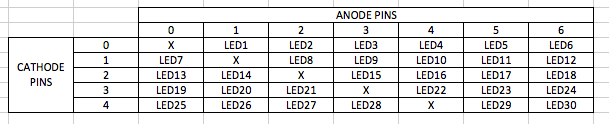
Now, every LED has its own connection between two pins, one for anode and one for cathode.
You can choose different pins and different pins order in the table, but you have to change them in both columns and rows.
In KeyChainino I used these pins:
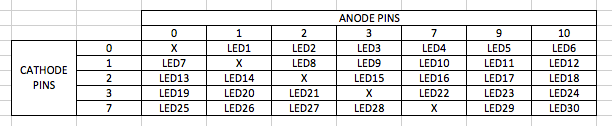
To make the real matrix connection for the LEDs, you can follow the table diagram:
Connect LED1’s anode to the pin 1 and its cathode to the pin 0.
Connect LED2’s anode to the pin 2 and its cathode to the pin 0. And so on.
Here’s the KeyChainino schematic to understand how the connections work.
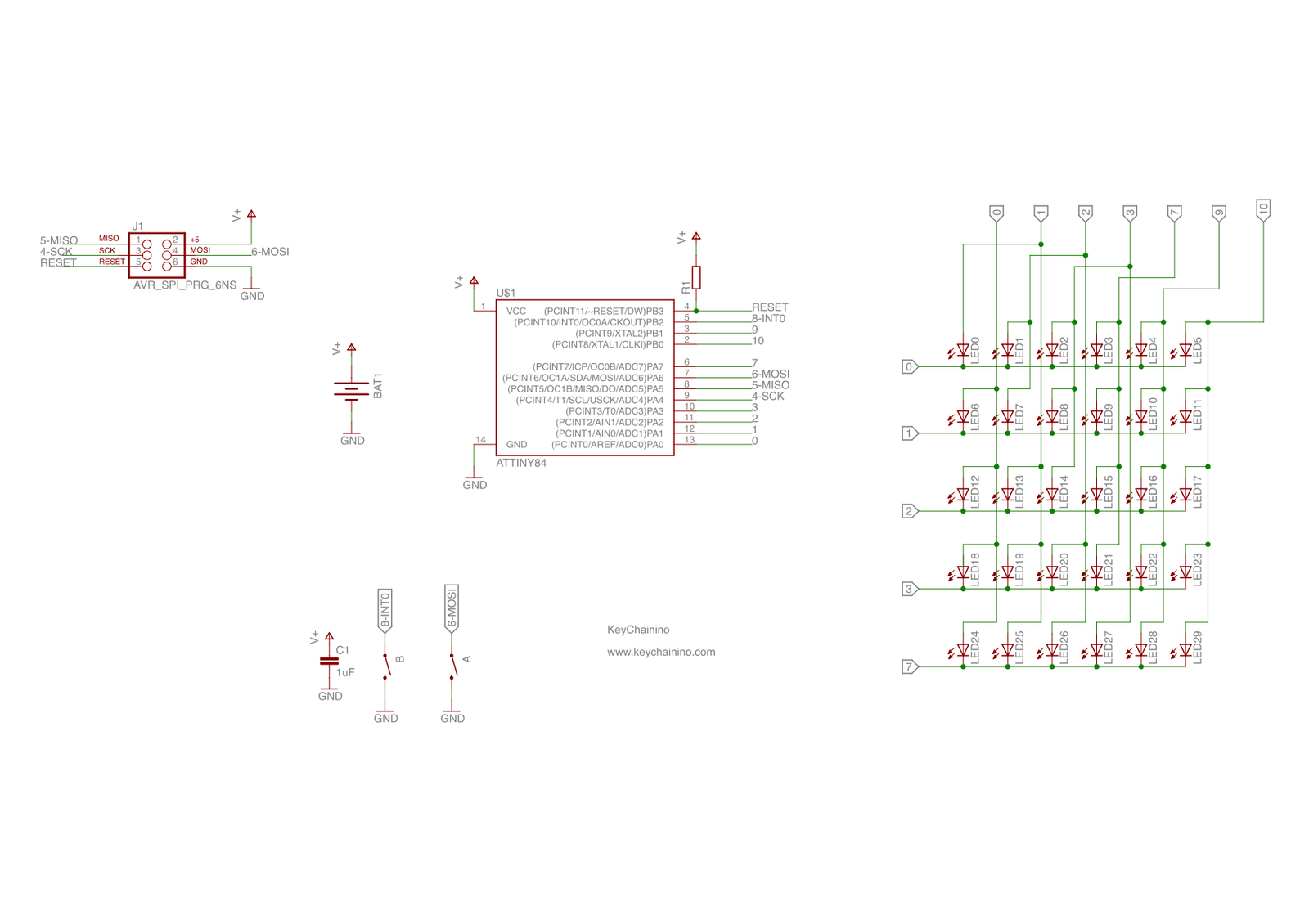
Now, as explained in the previous post, you can create the LED connections in the sketch.
Anyway, you can look at all the KeyChainino Sketches to figure out how to handle the Charlieplexing matrix.
Now you have all the elements to build your own KeyChainino.
Otherwise, if you want a ready-to-use KeyChainino, that fits in a keychain, you can buy it here!
Ad Majora!

Alessandro