Pictures · to use together with a grown-up
Your child draws. The KeyChainino lights up.
I made Pictures for my daughter, who is three. It's a picture book on a KeyChainino, with her own drawings inside.
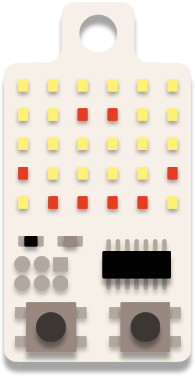
On the computer there's a big KeyChainino. Tap a light to turn it on, tap it again to turn it off. Then press the rocket, and a second later the drawing is on the real one.
Go on, try it here. The real drawing board sends it to the KeyChainino.
How it works
Three steps. Small hands welcome.
-
Draw
Tap the lights, or press and drag. Too hard with the mouse? Hold the space bar and just move it: no button to keep pressed. Every row plays a note.
-
Send
Press the rocket. A ring fills up while it sends, about a second. Then the KeyChainino restarts and shows the new drawing.
-
Play
A goes back, B goes forward. A and B together, and the picture comes alive: the dog wags its tail, the rocket takes off, the fish swims away and comes back.
68 pictures inside
Nothing to draw today?
Start from one of the pictures. Animals, shapes, toys, food. Pick one, change it, send it.
The shapes are a little game on their own: first they draw the outline, then they fill in.
- smile
- heart
- sun
- star
- cat
- dog
- fish
- car
- rocket
- house
For the grown-ups
What you need, and what to know.
Five minutes to read this, once. Then it's all theirs.
What you need
- A KeyChainino 144The one you already have, or a new one.
- A USBasp programmerA little USB stick that talks to the KeyChainino. You'll find it on Amazon, AliExpress or in any electronics shop, for a few euros.
- A computer with Chrome or EdgeWindows, macOS or Linux. Safari and Firefox can't talk to USB devices from a web page, and phones and tablets aren't supported. On Windows the USBasp needs a driver the first time: see how.
- The 6-pin connectionFrom the USBasp to the six pads on the KeyChainino. How to connect it →
Before the first send: take off the USBasp's power jumper. The battery stays in the KeyChainino and powers it, so the USBasp must not. With the jumper off you never need to take the battery out.
The first time
The first time you press the rocket, the page asks a grown-up to install the Pictures program. It takes about 15 seconds. Nothing is written on the KeyChainino before you say yes.
One honest note: Pictures takes the place of the 17 games. They're not gone forever. You can put them back whenever you want, from the How to program page.
The grown-ups' corner
Hold the gear for a second and you get the settings: install or update, delete drawings, sound on or off.
To choose which pictures live on the KeyChainino, hold the pencil on the "On my KeyChainino" shelf. A tap does nothing, so little fingers can't change things by mistake.
How much it holds
Up to 40 drawings, plus the pictures you pick. When the 41st arrives, the oldest drawing makes room. After 30 seconds without a press it goes to sleep, and when it wakes up it shows the last picture again.
It's not a toy
Pictures is made to be used together: a grown-up and a child. The KeyChainino runs on a CR2032 coin cell, and coin cells are dangerous if swallowed. When you're not playing together, keep it out of reach of small children.
Ready? Let's draw.
Plug in the USBasp, open the page, and sit down next to them.